









Writing a good article, preparing an academic assignment or editing website content often involves more than checking grammar. Sometimes, the most useful information is surprisingly simple: how many words have been written, which terms appear most frequently and whether the content is focused on its intended subject.
This is where online text-analysis tools can be helpful. UploadWords.com provides a straightforward way to examine written content without requiring users to install desktop software or create an account.
For people searching for UploadWords.com USA, the main interest is understanding what the platform offers, how its features work and whether it can help with everyday writing tasks. Although the search phrase includes the United States, the website presents itself as a general online tool rather than a separately identified American edition.
Let’s explore its functionality, practical applications and limitations so you know what to expect before using it.
What Is UploadWords.com and Why Do Writers Use It?
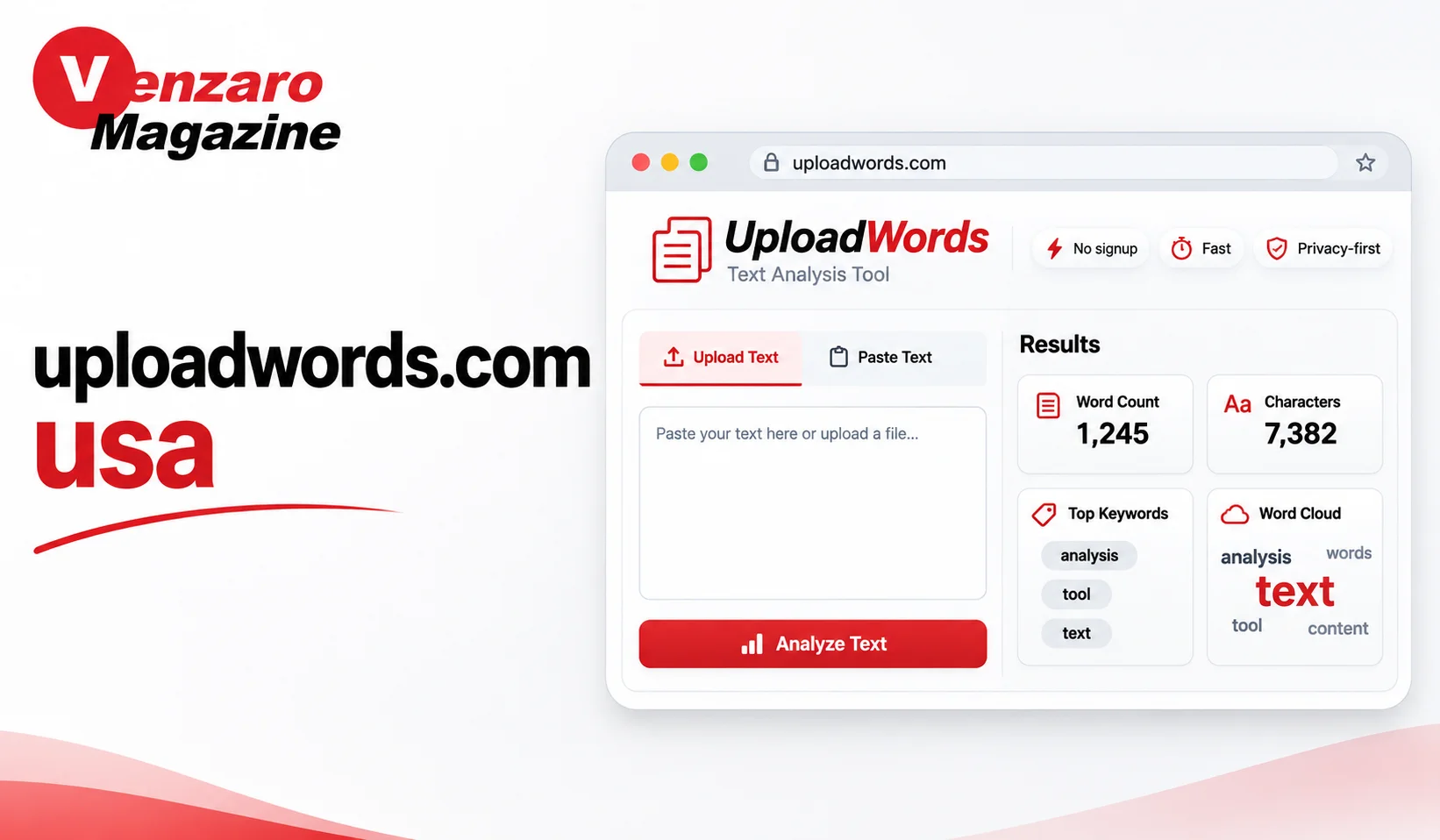
UploadWords.com is an online text-analysis tool designed to help users examine written material. Its primary functions include calculating word counts, measuring character counts, identifying frequently used words and creating visual word clouds.
The platform is particularly relevant for people who regularly work with written content. Students may need to meet assignment length requirements, bloggers may want to examine keyword repetition, and editors may need a quick overview of an article before publication.
Instead of manually counting words or copying content into multiple applications, users can analyse their writing through a single browser-based interface.
Another appealing aspect is accessibility. The website advertises free access without requiring registration or a subscription for its core tool.
What Does the USA Search Term Actually Mean?
The phrase UploadWords.com USA can create the impression that the platform has a dedicated American version. However, the website’s published information does not establish a separate US edition or confirm that it is an American-owned company.
In this context, USA is better understood as a geographical search modifier. Someone searching from the United States may simply be trying to find out whether the tool is accessible to them.
This distinction is useful because website availability and company location are two different things. An online tool can be accessible internationally without being headquartered in every country where people use it.
For American students, professionals and content creators, the relevant question is whether the tool performs the functions they need, not whether it carries a US-specific label.
Four Useful Features That Make Text Analysis Easier
The platform focuses on a relatively small set of functions. Rather than attempting to replace a complete writing application, it concentrates on information that can be useful when reviewing written content.
1. Word Count for Everyday Writing
Word counting is one of the most practical features of any text-analysis tool.
Students working on assignments, bloggers preparing articles and professionals writing reports often have specific length requirements. A quick word count helps determine whether a document is within the required range.
It can also be useful during editing. If a draft is considerably longer than necessary, reviewing its length provides a starting point for removing unnecessary sections.
2. Character Count for Content Requirements
Character counting is particularly useful for short-form writing.
Social media descriptions, website snippets, advertising copy and other digital content sometimes have character restrictions. Knowing the exact character count helps writers adjust their wording before publishing.
UploadWords provides character-count information alongside its other text statistics, making it easier to examine different aspects of the same document.
3. Frequently Used Keywords
One interesting feature is the ability to identify words that appear repeatedly in a submitted text.
This can help bloggers and website owners notice whether particular terms dominate an article. Excessive repetition may make content feel unnatural, while important subject-related terminology can sometimes become difficult to recognise without examining the complete document.
However, frequency analysis should not be confused with professional keyword research. It identifies words already present in your writing; it does not provide Google search volumes, keyword difficulty or ranking predictions.
4. Word Cloud for a Visual Content Overview
A word cloud transforms frequently used terms into a visual arrangement.
Words appearing more often can receive greater prominence, making it easier to recognise the dominant vocabulary within a document.
This feature can be useful for brainstorming, reviewing research material and identifying repeated themes. Users can also download a generated word cloud as a PNG image, according to the website’s published feature information.
How to Use UploadWords.com Without Complicating Your Workflow
One reason simple online tools remain useful is that they do not require a complicated setup.
The basic workflow involves preparing the text, entering it into the tool and reviewing the generated information.
Start by opening the text-analysis interface. You can paste your writing into the available input area or use a supported plain-text file if the upload functionality is available.
Once the content has been entered, run the analysis. The resulting information can include the total word count, character count and frequently occurring terms.
If you are reviewing an article for SEO, pay particular attention to repeated words. A high frequency does not automatically indicate a problem, but it can highlight sections that deserve another look.
For longer documents, analysing the complete text rather than isolated paragraphs provides a more useful overall picture.
Who Can Benefit From UploadWords.com?
Different users can approach the same tool in different ways. Its usefulness depends largely on the type of writing they produce.
Students and academic writers: Assignment requirements often specify minimum and maximum word counts. A dedicated counting tool makes it easier to check whether a submission meets those requirements.
Bloggers and website owners: Content creators can examine keyword repetition and identify vocabulary that appears excessively throughout an article.
Freelance writers: Writers managing several projects may find quick text statistics useful when checking client requirements before delivering their work.
Editors and proofreaders: Editors can use word and character counts as part of an initial content review before concentrating on grammar, readability and structure.
Marketing professionals: People preparing advertisements, website descriptions and short promotional messages can use character counts to help meet platform requirements.
The tool does not replace professional editing, but it can make several routine checking tasks more convenient.
Can UploadWords.com Replace Microsoft Word or Google Docs?
Not entirely. These applications serve different purposes.
Microsoft Word and Google Docs offer extensive writing and document-management features, including formatting, collaboration and editing tools. UploadWords concentrates on a narrower set of text statistics.
For someone who only needs a quick word count or keyword-frequency overview, a specialised browser tool may be sufficient. However, users who need advanced editing, document formatting or collaborative workflows will still benefit from a full writing application.
The best approach is to use each tool according to its strengths rather than expecting a simple text analyser to perform every writing-related task.
Understanding Its Limitations Before Using It
A useful tool is one whose capabilities are understood correctly. UploadWords can provide helpful statistics, but those numbers should not be treated as a complete assessment of writing quality.
For example, a document can have a perfectly acceptable word count while containing weak arguments, grammatical mistakes or repetitive paragraphs.
Similarly, a frequently occurring keyword does not necessarily mean an article is properly optimised for search engines.
There are also practical considerations involving file compatibility. The published FAQ describes support for plain-text TXT files up to 4 MB, while other website messaging has indicated that file uploads may be forthcoming. It is sensible to check the live interface before depending on this feature.
Privacy deserves attention as well. The website describes its text tool as privacy-focused, but users should avoid entering passwords, financial information, identification numbers or confidential business documents into any free online utility.
For highly sensitive material, an offline word-counting application is a more cautious choice.
What Makes a Good Text Analysis Process?
Simply generating statistics is not enough. The real value comes from using the information to improve the document.
A practical review process can follow these steps:
- Write the complete first draft without worrying about individual word counts.
- Check the overall length against the intended requirement.
- Examine frequently repeated terms and phrases.
- Identify sections that appear unnecessarily repetitive.
- Review whether the content stays focused on its main subject.
- Edit the document and perform another check before publication.
This approach keeps the writing process natural. Instead of forcing keywords into every paragraph, writers can use text statistics to identify problems that might otherwise go unnoticed.
Frequently Asked Questions
1. What is UploadWords.com USA?
UploadWords.com USA is a search phrase associated with the UploadWords.com online text-analysis tool. The website provides word counting, character counting, keyword-frequency analysis and word-cloud generation. A separate US edition has not been established.
2. Is UploadWords.com free?
According to the website’s published FAQ, its core text-analysis tool is free to use without registration or a subscription.
3. Do I need to create an account?
No account is advertised as necessary for using the main text-analysis functionality.
4. Can UploadWords count characters?
Yes. Character counting is one of the platform’s advertised features and can help with short-form writing requirements.
5. Does UploadWords provide keyword research?
It identifies frequently used words within submitted content. It does not replace dedicated SEO keyword-research tools that provide search volume, competition and ranking information.
6. Can I generate a word cloud?
Yes. The website advertises word-cloud generation and PNG downloads, allowing users to create a visual representation of frequently used terms.
7. Does UploadWords support document uploads?
Its published FAQ lists plain-text TXT uploads with a maximum file size of 4 MB. However, website messaging has not been entirely consistent about upload availability, so users should verify the current interface.
8. Is UploadWords available only in the United States?
The website does not present itself as a US-only platform. The USA wording in the search query should not be interpreted as evidence of a separate regional service.
9. Can UploadWords improve SEO content?
It can help identify repeated terms and examine keyword frequency in an existing article. However, it does not independently assess search intent, content quality, backlinks or search-engine rankings.
10. Is UploadWords suitable for confidential documents?
Users should avoid submitting highly sensitive information. For confidential documents, offline applications are a more cautious alternative.
Final Thoughts
UploadWords.com offers a focused approach to examining written content. Its word-count, character-count, frequently used keyword and word-cloud features can be useful for students, bloggers, freelance writers and professionals who regularly work with text.
Its biggest advantage is simplicity. Users looking for basic writing statistics do not necessarily need a complicated application with dozens of unrelated features.
At the same time, it is important to understand what the platform cannot do. It does not replace grammar checking, professional editing or comprehensive SEO research. Its statistics are most valuable when used as part of a wider content-review process.
For anyone searching for UploadWords.com USA, the important takeaway is that the regular UploadWords.com platform is the service described by its published information. Its practical value comes from the text-analysis functions it offers, not from the geographical wording attached to the search.
More Read: Uploadwords.com Tech News: Exploring Technology Updates, Digital Trends, and Innovation